EDR Viewer for Mac · Workflow guide
Looking for
Clampfit for Mac?
If you need to open existing pCLAMP / Axon recordings on a Mac, start with the workflow you actually need.
EDR Viewer is a separate Mac application. It opens ABF and ATF recordings and provides trace inspection, measurements and optional processing and analysis. It is not Clampfit, is not affiliated with Molecular Devices, and does not claim full Clampfit feature parity.
Viewing existing ABF recordings
Choose File → Open recordings… and select your ABF file. EDR Viewer supports ABF1 and ABF2; multi-sweep files are opened one sweep at a time. Check the sweep, stream, sampling rate, channel labels and units. Compatibility with every acquisition variant is not guaranteed.
ATF and text-based workflows
EDR Viewer also imports ATF and regularly sampled TXT, CSV and TSV signal data. Confirm missing timing or column assumptions at import. Re-labelling a unit does not convert recorded numerical values.
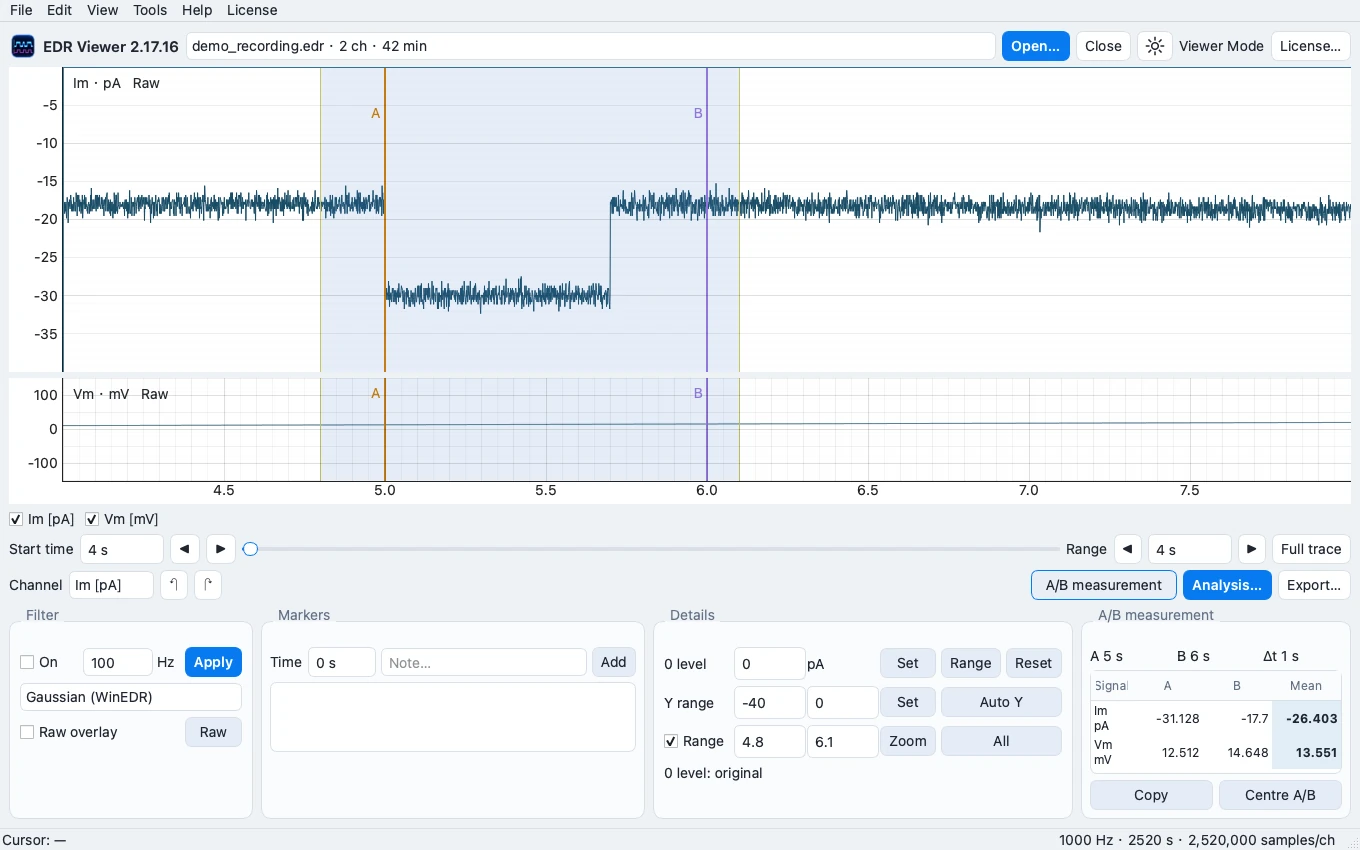
Illustration: EDR Viewer with synthetic data.
Choose by the task
- Open recordings, inspect traces and make A/B measurements: available in Viewer Mode without activation.
- Signal processing, FFT/PSD, exports and Analysis: optional Full Access, £7.99 once for up to 2 Macs.
- Acquisition, instrument control, proprietary Clampfit workflows or exact reproduction of Clampfit results: EDR Viewer does not claim these capabilities or equivalence.
What about official Clampfit support?
For the original software, system requirements and licensed capabilities, consult Molecular Devices’ pCLAMP / Clampfit product information. EDR Viewer requires Apple Silicon and macOS 14 or later. Its current build is locally signed and is not Apple notarized.
WinEDR EDR recordings on Mac · Import and installation support